<?xml version="1.0" encoding="UTF-8"?>
<feed xmlns="http://www.w3.org/2005/Atom">
    <title>ActionScript 3.0入門ノート CS4</title>
    <link rel="alternate" type="text/html" href="https://oshige.com/flash/as3note_cs4/" />
    <link rel="self" type="application/atom+xml" href="https://oshige.com/flash/as3note_cs4/atom.xml" />
    <id>tag:oshige.com,2008-11-24:/flash/as3note_cs4//27</id>
    <updated>2010-09-27T05:34:52Z</updated>
    <subtitle>Adobe Flash CS4 詳細！ActionScript 3.0入門ノート[完全改訂版]サポートページ：大重美幸</subtitle>
    <generator uri="http://www.sixapart.com/movabletype/">Movable Type Pro 6.0</generator>

<entry>
    <title>正誤表20100927</title>
    <link rel="alternate" type="text/html" href="https://oshige.com/flash/as3note_cs4/2010/09/20100927.html" />
    <id>tag:oshige.com,2010:/flash/as3note_cs4//27.4074</id>

    <published>2010-09-27T05:18:10Z</published>
    <updated>2010-09-27T05:34:52Z</updated>

    <summary>■この訂正は初版および第2版のものです。 p.168のスクリプトの一部を次のよう...</summary>
    <author>
        <name>oshige</name>
        <uri>http://oshige.com</uri>
    </author>
    
        <category term="正誤表（2版）" scheme="http://www.sixapart.com/ns/types#category" />
    
    <category term="mathmax" label="Math.max()" scheme="http://www.sixapart.com/ns/types#tag" />
    <category term="mathmin" label="Math.min()" scheme="http://www.sixapart.com/ns/types#tag" />
    
    <content type="html" xml:lang="ja" xml:base="https://oshige.com/flash/as3note_cs4/">
        <![CDATA[■この訂正は初版および第2版のものです。

p.168のスクリプトの一部を次のように変更します。17行目〜22行目の2つのifステートメントに1行ずつ追加しています。追加の内容は、跳ね返りで壁から抜けなくなる現象を回避するための処理です。

[:script:]ステージの境界で跳ね返る
<pre class="brush: as3, first-line: 16">
	//ステージの境界まで来たら進む方向を反転する
	if (((mc.x-mc.width/2)<0)||((mc.x+mc.width/2)>stage.stageWidth)) {
		mc.speedX*=-1;
		<strong>//領域の外に出ないようにする
		mc.x = Math.max(0,Math.min(stage.stageWidth, mc.x));</strong>
	}
	if (((mc.y-mc.height/2)<0)||((mc.y+mc.height/2)>stage.stageHeight)) {
		mc.speedY*=-1;
		<strong>//領域の外に出ないようにする
		mc.y = Math.max(0,Math.min(stage.stageHeight, mc.y));</strong>
	}
</pre>]]>
        
    </content>
</entry>

<entry>
    <title>ワン・ツー記念ショット（その２）</title>
    <link rel="alternate" type="text/html" href="https://oshige.com/flash/as3note_cs4/2010/08/post-65.html" />
    <id>tag:oshige.com,2010:/flash/as3note_cs4//27.4040</id>

    <published>2010-08-15T22:10:20Z</published>
    <updated>2010-08-15T23:23:19Z</updated>

    <summary>今回はCS3のActionScript3.0入門ノートとの１，２ショットが撮れた...</summary>
    <author>
        <name>oshige</name>
        <uri>http://oshige.com</uri>
    </author>
    
        <category term="情報、その他" scheme="http://www.sixapart.com/ns/types#category" />
    
    
    <content type="html" xml:lang="ja" xml:base="https://oshige.com/flash/as3note_cs4/">
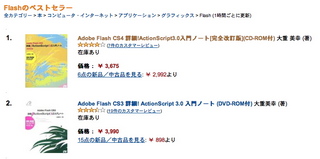
        <![CDATA[<p>今回はCS3のActionScript3.0入門ノートとの１，２ショットが撮れたので記念です。(^_^)v  </p>

<p><span class="mt-enclosure mt-enclosure-image" style="display: inline;"><a href="http://oshige.com/flash/as3note_cs4/images/amazon12rank0816.html" onclick="window.open('http://oshige.com/flash/as3note_cs4/images/amazon12rank0816.html','popup','width=746,height=372,scrollbars=no,resizable=no,toolbar=no,directories=no,location=no,menubar=no,status=no,left=0,top=0'); return false"><img src="http://oshige.com/flash/as3note_cs4/images/amazon12rank0816-thumb-320x159.jpg" width="320" height="159" alt="amazon12rank0816.jpg" class="mt-image-none" style="" /></a></span></p>

<p>まあ、そんなことはどうでもいいでしょうけどね。</p>]]>
        
    </content>
</entry>

<entry>
    <title>ワン・ツー記念ショット</title>
    <link rel="alternate" type="text/html" href="https://oshige.com/flash/as3note_cs4/2010/08/post-64.html" />
    <id>tag:oshige.com,2010:/flash/as3note_cs4//27.4034</id>

    <published>2010-08-07T02:01:50Z</published>
    <updated>2010-08-15T22:10:12Z</updated>

    <summary>AmazonのFlashカテゴリのベストセラーランキングでぼくの本が1位、2位に...</summary>
    <author>
        <name>oshige</name>
        <uri>http://oshige.com</uri>
    </author>
    
        <category term="情報、その他" scheme="http://www.sixapart.com/ns/types#category" />
    
    
    <content type="html" xml:lang="ja" xml:base="https://oshige.com/flash/as3note_cs4/">
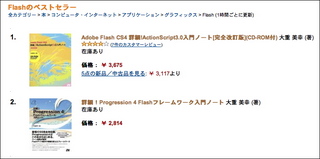
        <![CDATA[<p>AmazonのFlashカテゴリのベストセラーランキングでぼくの本が1位、2位になったので記念ショットです。このランキングはありえないほど上下するんですけどね(^^;;</p>

<p><span class="mt-enclosure mt-enclosure-image" style="display: inline;"><a href="http://oshige.com/flash/as3note_cs4/images/amazon12rank08071.html" onclick="window.open('http://oshige.com/flash/as3note_cs4/images/amazon12rank08071.html','popup','width=751,height=375,scrollbars=no,resizable=no,toolbar=no,directories=no,location=no,menubar=no,status=no,left=0,top=0'); return false"><img src="http://oshige.com/flash/as3note_cs4/images/amazon12rank0807-thumb-320x159.jpg" width="320" height="159" alt="amazon12rank0807.jpg" class="mt-image-none" style="" /></a></span></p>

<p>新刊の「詳細!Progression 4 Flashフレームワーク入門ノート」の感想を書いてくださったブログを紹介しています。<br />
→<a href="http://oshige.com/flash/progression/cat273/">読者が書いた気になる書評</a></p>

<p>これからもよろしくお願いします。</p>]]>
        
    </content>
</entry>

<entry>
    <title>Progression4入門ノートの目次</title>
    <link rel="alternate" type="text/html" href="https://oshige.com/flash/as3note_cs4/2010/07/progression4.html" />
    <id>tag:oshige.com,2010:/flash/as3note_cs4//27.3995</id>

    <published>2010-07-02T05:51:52Z</published>
    <updated>2010-07-13T03:52:33Z</updated>

    <summary>詳細！Progression 4 Flashフレームワーク入門ノートのサポートサ...</summary>
    <author>
        <name>oshige</name>
        <uri>http://oshige.com</uri>
    </author>
    
        <category term="情報、その他" scheme="http://www.sixapart.com/ns/types#category" />
    
    <category term="progression" label="Progression" scheme="http://www.sixapart.com/ns/types#tag" />
    
    <content type="html" xml:lang="ja" xml:base="https://oshige.com/flash/as3note_cs4/">
        <![CDATA[<p><strong>詳細！Progression 4 Flashフレームワーク入門ノート</strong>の<a href="http://oshige.com/flash/progression/">サポートサイト</a>もオープンです。</p>

<p>→<a href="http://oshige.com/flash/progression/2010/07/post.html">目次</a></p>]]>
        
    </content>
</entry>

<entry>
    <title>Amazonで予約開始です！</title>
    <link rel="alternate" type="text/html" href="https://oshige.com/flash/as3note_cs4/2010/07/amazon.html" />
    <id>tag:oshige.com,2010:/flash/as3note_cs4//27.3993</id>

    <published>2010-07-02T04:17:43Z</published>
    <updated>2010-07-02T04:19:01Z</updated>

    <summary>Amazonで予約開始です！ 詳細！Progression 4 Flashフレー...</summary>
    <author>
        <name>oshige</name>
        <uri>http://oshige.com</uri>
    </author>
    
        <category term="情報、その他" scheme="http://www.sixapart.com/ns/types#category" />
    
    <category term="progression" label="Progression" scheme="http://www.sixapart.com/ns/types#tag" />
    
    <content type="html" xml:lang="ja" xml:base="https://oshige.com/flash/as3note_cs4/">
        <![CDATA[<p>Amazonで予約開始です！</p>

<p><a href="http://www.amazon.co.jp/exec/obidos/ASIN/4881667432/oshiget-22/ref=nosim/" target="_top">詳細！Progression 4 Flashフレームワーク入門ノート</a><br /><br />
<a href="http://www.amazon.co.jp/exec/obidos/ASIN/4881667432/oshiget-22/ref=nosim/" target="_top"><img src="http://ecx.images-amazon.com/images/I/51rNL-eQ8xL._SL160_.jpg" alt="詳細！Progression 4 Flashフレームワーク入門ノート" border="0" /></a></p>]]>
        
    </content>
</entry>

<entry>
    <title>Adobe EDGE newsletter 第10回（最終回）</title>
    <link rel="alternate" type="text/html" href="https://oshige.com/flash/as3note_cs4/2010/07/adobe-edge-newsletter-10-20106.html" />
    <id>tag:oshige.com,2010:/flash/as3note_cs4//27.3987</id>

    <published>2010-06-30T23:48:10Z</published>
    <updated>2010-07-01T00:17:59Z</updated>

    <summary> Adobe EDGE newsletter第10回（最終回） 2010.6 『...</summary>
    <author>
        <name>oshige</name>
        <uri>http://oshige.com</uri>
    </author>
    
        <category term="連載Adobe EDGE" scheme="http://www.sixapart.com/ns/types#category" />
    
    
    <content type="html" xml:lang="ja" xml:base="https://oshige.com/flash/as3note_cs4/">
        <![CDATA[<span class="mt-enclosure mt-enclosure-image" style="display: inline;"><img alt="image.jpg" src="http://oshige.com/flash/as3note_cs4/images/image.jpg" width="204" height="110" class="mt-image-none" style="" /></span>
<br>
Adobe EDGE newsletter第10回（最終回） 2010.6<br>
<strong>『大重美幸のこれ見落としてませんか？ ActionScript 3.0』</strong><br>
『<a href="http://www.adobe.com/jp/newsletters/edge/june2010/articles/article2/index.html" target="edge">簡単3Dから始める奥行きのある話 (2)</a>』が公開されました。<br><br>
<br>
ちょうど連載10回を迎えたところで、EDGEもしばし休刊ということもあり、今回が最終回になりました。長い間、ご愛読ありがとうございました。<br>
<br>]]>
        
    </content>
</entry>

<entry>
    <title>詳細！Progression 4 Flashフレームワーク入門ノート発売日決定</title>
    <link rel="alternate" type="text/html" href="https://oshige.com/flash/as3note_cs4/2010/06/progression-4-flash.html" />
    <id>tag:oshige.com,2010:/flash/as3note_cs4//27.3986</id>

    <published>2010-06-30T13:49:58Z</published>
    <updated>2010-07-13T02:46:04Z</updated>

    <summary>「詳細！Progression 4 Flashフレームワーク入門ノート」の発売日...</summary>
    <author>
        <name>oshige</name>
        <uri>http://oshige.com</uri>
    </author>
    
        <category term="情報、その他" scheme="http://www.sixapart.com/ns/types#category" />
    
    <category term="progression" label="Progression" scheme="http://www.sixapart.com/ns/types#tag" />
    
    <content type="html" xml:lang="ja" xml:base="https://oshige.com/flash/as3note_cs4/">
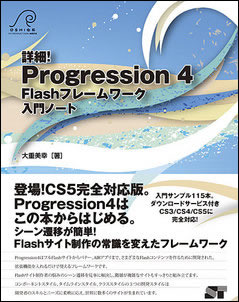
        <![CDATA[<p>「詳細！Progression 4 Flashフレームワーク入門ノート」の発売日が決まりました。7月19日です。都内などは7月17日には店頭に並ぶところもあるでしょう。<br />
脱稿したのは5月の連休明けだったんですが、Flash CS5の発売を待ち、さらにProgression 4がFlash CS5に正式に対応するのを待って最終的な確認作業やリライトなどを行ったので遅くなりました。Amazonで予約／販売開始になったならば、あらためてご案内します。よろしく！</p>

<p><br />
<strong>詳細！Progression 4 Flashフレームワーク入門ノート</strong><br />
大重美幸　著<br />
2680円＋税、287ページ<br />
サンプル数115本（CS3／CS4／CS5用の各ファイルをダウンロードサービス）<br />
発売日：2010年7月19日<br />
ISBN978-4-88166-743-9</p>

<p><span class="mt-enclosure mt-enclosure-image" style="display: inline;"><a href="http://oshige.com/blog/index/images/743a.html" onclick="window.open('http://oshige.com/blog/index/images/743a.html','popup','width=397,height=500,scrollbars=no,resizable=no,toolbar=no,directories=no,location=no,menubar=no,status=no,left=0,top=0'); return false"><img src="http://oshige.com/blog/index/images/743a-thumb-240x302.jpg" width="240" height="302" alt="743a.jpg" class="mt-image-none" style="" /></a></span></p>

<p><br />
Progression 4は最新のver.4.0.12からFlash CS5にインストールができますが、CS3/CS4用とCS5用では別のファイルをダウンロードしてインストールするようになっています。<br />
CS5用のダウンロードファイルは拡張子がzxpというファイルなので、MacのSafariなどではうまくダウンロードできませんね。そんな場合は、ダウンロードページに移動してリンクを右クリック（ctrl+クリック）して、別名に保存のコマンドを使ってダウンロードすると成功します。</p>

<p><a href="http://progression.jp/ja/">Progression公式ホームページ</a></p>]]>
        
    </content>
</entry>

<entry>
    <title>Adobe EDGE newsletter 第9回 2010.5</title>
    <link rel="alternate" type="text/html" href="https://oshige.com/flash/as3note_cs4/2010/05/adobe-edge-newsletter-9-20105.html" />
    <id>tag:oshige.com,2010:/flash/as3note_cs4//27.3973</id>

    <published>2010-05-27T01:31:19Z</published>
    <updated>2010-07-01T05:54:57Z</updated>

    <summary> Adobe EDGE newsletter第9回 『大重美幸のこれ見落としてま...</summary>
    <author>
        <name>oshige</name>
        <uri>http://oshige.com</uri>
    </author>
    
        <category term="連載Adobe EDGE" scheme="http://www.sixapart.com/ns/types#category" />
    
    
    <content type="html" xml:lang="ja" xml:base="https://oshige.com/flash/as3note_cs4/">
        <![CDATA[
<span class="mt-enclosure mt-enclosure-image" style="display: inline;"><img alt="image.jpg" src="http://oshige.com/flash/as3note_cs4/images/image.jpg" width="204" height="110" class="mt-image-none" style="" /></span>
<br>
Adobe EDGE newsletter第9回<br>
<strong>『大重美幸のこれ見落としてませんか？ ActionScript 3.0』</strong><br>
『<a href="http://www.adobe.com/jp/newsletters/edge/may2010/articles/article3/index.html" target="edge">簡単3Dから始める奥行きのある話 (1)</a>』が公開されました。<br><br>
<br>
Flashには3Dを扱う機能が標準で用意されています。ちょっとでもいいから3Dを使いたいなあと思っているなら、まずは簡単なことから始めてみましょう。今月が第１回ってことは第２回もありますよ(^^)/]]>
        
    </content>
</entry>

<entry>
    <title>Adobe EDGE newsletter 第8回 2010.4</title>
    <link rel="alternate" type="text/html" href="https://oshige.com/flash/as3note_cs4/2010/04/adobe-edge-newsletter-8-20104.html" />
    <id>tag:oshige.com,2010:/flash/as3note_cs4//27.3960</id>

    <published>2010-04-24T02:10:53Z</published>
    <updated>2010-05-27T01:29:09Z</updated>

    <summary> Adobe EDGE newsletter第8回 『大重美幸のこれ見落としてま...</summary>
    <author>
        <name>oshige</name>
        <uri>http://oshige.com</uri>
    </author>
    
        <category term="連載Adobe EDGE" scheme="http://www.sixapart.com/ns/types#category" />
    
    <category term="textblock" label="TextBlock" scheme="http://www.sixapart.com/ns/types#tag" />
    
    <content type="html" xml:lang="ja" xml:base="https://oshige.com/flash/as3note_cs4/">
        <![CDATA[
<span class="mt-enclosure mt-enclosure-image" style="display: inline;"><img alt="image.jpg" src="http://oshige.com/flash/as3note_cs4/images/image.jpg" width="204" height="110" class="mt-image-none" style="" /></span>
<br>
Adobe EDGE newsletter第8回<br>
<strong>『大重美幸のこれ見落としてませんか？ ActionScript 3.0』</strong><br>
『<a href="http://www.adobe.com/jp/newsletters/edge/april2010/articles/article4/index.html" target="edge">TextBlockクラスでグラフィックを取り込んだ文字表現</a>』が公開されました。<br><br>
<br>
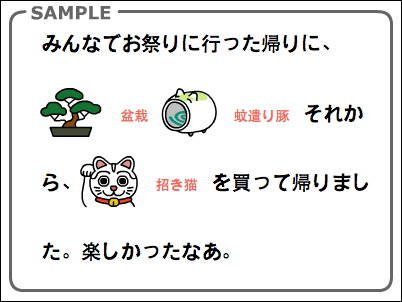
今月はTextBlockのグループエレメント、グラフィックエレメント、タブ設定などを紹介します。先月の『<a href="http://www.adobe.com/jp/newsletters/edge/march2010/articles/article3/index.html" target="edge">TextBlockクラスで多彩な文字表現</a>』の後編です。毎回、人気記事に選んでもらっているんですが、先月は１位記事になりました。ありがとうございました！<br>
<br>
<span class="mt-enclosure mt-enclosure-image" style="display: inline;"><img alt="edge8fig.jpg" src="http://oshige.com/flash/as3note_cs4/images/edge8fig.jpg" width="402" height="302" class="mt-image-none" style="" /></span>]]>
        
    </content>
</entry>

<entry>
    <title>Adobe EDGE newsletter 第7回 2010.3</title>
    <link rel="alternate" type="text/html" href="https://oshige.com/flash/as3note_cs4/2010/03/adobe-edge-newsletter-7-20103.html" />
    <id>tag:oshige.com,2010:/flash/as3note_cs4//27.3951</id>

    <published>2010-03-24T13:52:23Z</published>
    <updated>2010-04-24T02:00:35Z</updated>

    <summary> Adobe EDGE newsletter第7回 『大重美幸のこれ見落としてま...</summary>
    <author>
        <name>oshige</name>
        <uri>http://oshige.com</uri>
    </author>
    
        <category term="sample" scheme="http://www.sixapart.com/ns/types#category" />
    
        <category term="連載Adobe EDGE" scheme="http://www.sixapart.com/ns/types#category" />
    
    <category term="textblock" label="TextBlock" scheme="http://www.sixapart.com/ns/types#tag" />
    
    <content type="html" xml:lang="ja" xml:base="https://oshige.com/flash/as3note_cs4/">
        <![CDATA[
<span class="mt-enclosure mt-enclosure-image" style="display: inline;"><img alt="image.jpg" src="http://oshige.com/flash/as3note_cs4/images/image.jpg" width="204" height="110" class="mt-image-none" style="" /></span>
<br>
Adobe EDGE newsletter第7回<br>
<strong>『大重美幸のこれ見落としてませんか？ ActionScript 3.0』</strong><br>
『<a href="http://www.adobe.com/jp/newsletters/edge/march2010/articles/article3/index.html" target="edge">TextBlockクラスで多彩な文字表現</a>』が公開されました。<br><br>
<br>
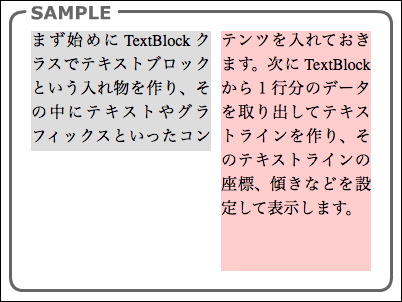
テキストを自由にアニメーションさせたい、もっと美しい文字でテキストを表示したいと思ったとき、テキストフィールドでは難しい場合があります。その悩みを解決するのがFlash CS4から搭載された新テキストエンジンです。今回は新テキストエンジンを使うためのTextBlockクラスにチャレンジです！<br>
<br>
<span class="mt-enclosure mt-enclosure-image" style="display: inline;"><img alt="edge7fig4.jpg" src="http://oshige.com/flash/as3note_cs4/images/edge7fig4.jpg" width="402" height="302" class="mt-image-none" style="" /></span>]]>
        
    </content>
</entry>

<entry>
    <title>Adobe EDGE newsletter 第6回 2010.2</title>
    <link rel="alternate" type="text/html" href="https://oshige.com/flash/as3note_cs4/2010/02/adobe-edge-newsletter-6-20102.html" />
    <id>tag:oshige.com,2010:/flash/as3note_cs4//27.3934</id>

    <published>2010-02-24T14:12:13Z</published>
    <updated>2010-03-24T13:52:00Z</updated>

    <summary> Adobe EDGE newsletter第6回 『大重美幸のこれ見落としてま...</summary>
    <author>
        <name>oshige</name>
        <uri>http://oshige.com</uri>
    </author>
    
        <category term="sample" scheme="http://www.sixapart.com/ns/types#category" />
    
        <category term="連載Adobe EDGE" scheme="http://www.sixapart.com/ns/types#category" />
    
    
    <content type="html" xml:lang="ja" xml:base="https://oshige.com/flash/as3note_cs4/">
        <![CDATA[
<span class="mt-enclosure mt-enclosure-image" style="display: inline;"><img alt="image.jpg" src="http://oshige.com/flash/as3note_cs4/images/image.jpg" width="204" height="110" class="mt-image-none" style="" /></span>
<br>
Adobe EDGE newsletter第6回<br>
<strong>『大重美幸のこれ見落としてませんか？ ActionScript 3.0』</strong><br>
『<a href="http://www.adobe.com/jp/newsletters/edge/february2010/articles/article3/index.html" target="edge">柔軟・多彩・高速な画像処理を実現するシェーダーフィルタ</a>』が公開されました。<br><br>
今回のテーマは、Flash CS4（Flash Player 10）の新機能として登場した「シェーダーフィルタ」です。シェーダーフィルタとは、Pixel Bender Toolkitで作成したシェーダープログラムを読み込んで作るフィルタです。シェーダーフィルタはビットマップ、ベクトル、FLVと表示オブジェクトに適用でき、複雑なエフェクトもリアルタイムで処理する実行速度の速さが特長です。<br>
<br>
<script type="text/javascript" src="http://oshige.com/flash/as3note_cs4/samples/swfobject.js"></script>
		<script type="text/javascript">
			swfobject.registerObject("twirlShader", "10.0.0", "http://oshige.com/flash/as3note_cs4/samples/expressInstall.swf");
		</script>
<div>
			<object classid="clsid:D27CDB6E-AE6D-11cf-96B8-444553540000" width="400" height="300" id="twirlShader">
				<param name="movie" value="http://oshige.com/flash/as3note_cs4/samples/edge5/twirlShader.swf" />
				<!--[if !IE]>-->
				<object type="application/x-shockwave-flash" data="http://oshige.com/flash/as3note_cs4/samples/edge5/twirlShader.swf" width="400" height="300">
				<!--<![endif]-->
					<a href="http://www.adobe.com/go/getflashplayer">
						<img src="http://www.adobe.com/images/shared/download_buttons/get_flash_player.gif" alt="Get Adobe Flash player" />
					</a>
				<!--[if !IE]>-->
				</object>
				<!--<![endif]-->
			</object>
		</div>]]>
        
    </content>
</entry>

<entry>
    <title>Adobe EDGE newsletter 第5回 2010.1</title>
    <link rel="alternate" type="text/html" href="https://oshige.com/flash/as3note_cs4/2010/01/adobe-edge-newsletter-5-201027.html" />
    <id>tag:oshige.com,2010:/flash/as3note_cs4//27.3929</id>

    <published>2010-01-27T14:20:23Z</published>
    <updated>2010-02-24T14:13:21Z</updated>

    <summary> Adobe EDGE newsletter第5回 『大重美幸のこれ見落としてま...</summary>
    <author>
        <name>oshige</name>
        <uri>http://oshige.com</uri>
    </author>
    
        <category term="連載Adobe EDGE" scheme="http://www.sixapart.com/ns/types#category" />
    
    
    <content type="html" xml:lang="ja" xml:base="https://oshige.com/flash/as3note_cs4/">
        <![CDATA[<p><br />
<span class="mt-enclosure mt-enclosure-image" style="display: inline;"><img alt="image.jpg" src="http://oshige.com/flash/as3note_cs4/images/image.jpg" width="204" height="110" class="mt-image-none" style="" /></span></p>

<p>Adobe EDGE newsletter第5回<br />
<strong>『大重美幸のこれ見落としてませんか？ ActionScript 3.0』</strong><br />
『<a href="http://www.adobe.com/jp/newsletters/edge/january2010/articles/article3/index.html" target="adobe">スクリプトでフィルタを適用する方法</a>』が公開されました。<br />
今回はフィルタがテーマです。表示オブジェクト、ビットマップデータにフィルタを適用する方法を解説します。</p>]]>
        
    </content>
</entry>

<entry>
    <title>正誤表20100109</title>
    <link rel="alternate" type="text/html" href="https://oshige.com/flash/as3note_cs4/2010/01/20100109.html" />
    <id>tag:oshige.com,2010:/flash/as3note_cs4//27.3917</id>

    <published>2010-01-09T01:50:37Z</published>
    <updated>2010-01-09T01:54:25Z</updated>

    <summary>■この訂正は初版のものです。 p.89　見出し「乱数を作る」の4行目、スクリプト...</summary>
    <author>
        <name>oshige</name>
        <uri>http://oshige.com</uri>
    </author>
    
        <category term="正誤表（初版）" scheme="http://www.sixapart.com/ns/types#category" />
    
    
    <content type="html" xml:lang="ja" xml:base="https://oshige.com/flash/as3note_cs4/">
        <![CDATA[<p>■この訂正は初版のものです。</p>

<p>p.89　見出し「乱数を作る」の4行目、スクリプト見出し<br />
<blockquote>誤：1〜10の乱数<br />
正：1〜10の整数の乱数</blockquote></p>

<p>p.159　本文1行目<br />
<blockquote>誤：その再生に到達したら<br />
正：そのフレームに到達したら</blockquote></p>]]>
        
    </content>
</entry>

<entry>
    <title>Adobe EDGE newsletter 第4回 2009.12</title>
    <link rel="alternate" type="text/html" href="https://oshige.com/flash/as3note_cs4/2009/12/adobe-edge-newsletter-4-200912.html" />
    <id>tag:oshige.com,2009:/flash/as3note_cs4//27.3911</id>

    <published>2009-12-23T04:36:11Z</published>
    <updated>2010-01-27T14:19:49Z</updated>

    <summary> Adobe EDGE newsletter第4回 『大重美幸のこれ見落としてま...</summary>
    <author>
        <name>oshige</name>
        <uri>http://oshige.com</uri>
    </author>
    
        <category term="情報、その他" scheme="http://www.sixapart.com/ns/types#category" />
    
        <category term="連載Adobe EDGE" scheme="http://www.sixapart.com/ns/types#category" />
    
    
    <content type="html" xml:lang="ja" xml:base="https://oshige.com/flash/as3note_cs4/">
        <![CDATA[<p><br />
<span class="mt-enclosure mt-enclosure-image" style="display: inline;"><img alt="image.jpg" src="http://oshige.com/flash/as3note_cs4/images/image.jpg" width="204" height="110" class="mt-image-none" style="" /></span></p>

<p>Adobe EDGE newsletter第4回<br />
<strong>『大重美幸のこれ見落としてませんか？ ActionScript 3.0』</strong><br />
『<a href="http://www.adobe.com/jp/newsletters/edge/december2009/articles/article3/index.html" target="adobe">FLVをウィンドウ／画面全体に表示する</a>』が公開されました。<br />
今回はFLVの変形とフルスクリーン表示がテーマです。前回の宿題の回答もありますよ。</p>]]>
        
    </content>
</entry>

<entry>
    <title>公式Papervison3D 日本語フォーラム</title>
    <link rel="alternate" type="text/html" href="https://oshige.com/flash/as3note_cs4/2009/12/papervison3d.html" />
    <id>tag:oshige.com,2009:/flash/as3note_cs4//27.3897</id>

    <published>2009-12-02T02:06:58Z</published>
    <updated>2009-12-02T02:08:05Z</updated>

    <summary>公式のPapervison3D日本語フォーラムてのができましたよ。...</summary>
    <author>
        <name>oshige</name>
        <uri>http://oshige.com</uri>
    </author>
    
        <category term="情報、その他" scheme="http://www.sixapart.com/ns/types#category" />
    
    
    <content type="html" xml:lang="ja" xml:base="https://oshige.com/flash/as3note_cs4/">
        <![CDATA[公式の<a href="http://forum.papervision3d.jp/">Papervison3D日本語フォーラム</a>てのができましたよ。]]>
        
    </content>
</entry>

</feed>